 381520ee13
* Get rid of installation token (for OSS installations)

This is done by being required to supply the grafana API URL as an
environment variable on the backend. Additionally, optionally an OnCall
API URL environment variable can be passed in to the frontend (this basically
allows completely skipping the need to configure anything).
- deduplicated a lot of the sync logic on the frontend + made
error message more useful and consistent
- Split PluginConfigPage component into several subcomponents
(making it easier to test each individual component)
- Moved RootWithLoader (from plugin/GrafanaPluginRootPage) into its own
subcomponent (making it easier to test)
- Added tests for pre-existing components that were touched:
  - PluginConfigPage component (and its new subcomponents)
  - state/plugin and state/rootBaseStore functions
  - apps.grafana_plugin django app

Helm changes:
- add GRAFANA_API_URL to oncall.env
- some yaml autoformatting changes
- remove reference to python manage.py issue_invite_for_the_frontend --override

Co-authored-by: Joey Orlando <joseph.t.orlando@gmail.com>
3.9 KiB
3.9 KiB







Developer-friendly incident response with brilliant Slack integration.

- Collect and analyze alerts from multiple monitoring systems
- On-call rotations based on schedules
- Automatic escalations
- Phone calls, SMS, Slack, Telegram notifications
Getting Started
We prepared multiple environments:
- production
- developer
- hobby (described in the following steps)
- Download
docker-compose.yml:
curl -fsSL https://raw.githubusercontent.com/grafana/oncall/dev/docker-compose.yml -o docker-compose.yml
- Set variables:
echo "DOMAIN=http://localhost:8080
COMPOSE_PROFILES=with_grafana  # Remove this line if you want to use existing grafana
SECRET_KEY=my_random_secret_must_be_more_than_32_characters_long" > .env
- Launch services:
docker-compose up -d
- Go to OnCall Plugin Configuration, using log in credentials as defined above:
admin/admin(or find OnCall plugin in configuration->plugins) and connect OnCall plugin with OnCall backend:
OnCall backend URL: http://engine:8080
- Enjoy! Check our OSS docs if you want to set up Slack, Telegram, Twilio or SMS/calls through Grafana Cloud.
Update version
To update your Grafana OnCall hobby environment:
# Update Docker image
docker-compose pull engine

# Re-deploy
docker-compose up -d
After updating the engine, you'll also need to click the "Update" button on the plugin version page. See Grafana docs for more info on updating Grafana plugins.
Join community


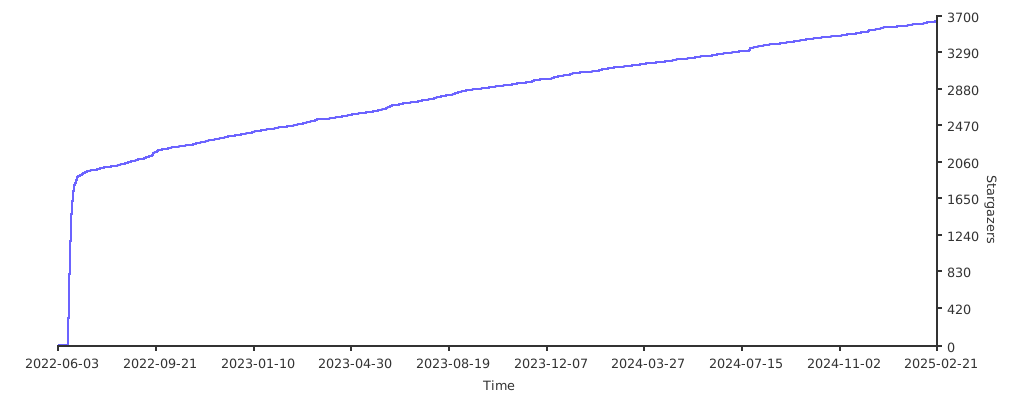
Stargazers over time
Further Reading
- Migration from PagerDuty - Migrator
- Documentation - Grafana OnCall
- Overview Webinar - YouTube
- How To Add Integration - How to Add Integration
- Blog Post - Announcing Grafana OnCall, the easiest way to do on-call management
- Presentation - Deep dive into the Grafana, Prometheus, and Alertmanager stack for alerting and on-call management