 6b87ad74e9
This PR modifies how OSS instances send mobile app push notifications.
It also adds frontend warnings when user is trying to use the mobile app
without connecting to cloud.

- [x] Add public API authentication to `FCMRelayView` and throttle the
view to 300 push notifications per instance per minute. This is similar
to how SMS and phone call notifications work on OSS instances.
- [x] Add frontend warnings based on cloud connectivity
- [x] Fix/add frontend tests
- [x] Add tests for FCMRelayView and mobile app backend

## Screenshots

When a user tries to connect the mobile app in his settings and cloud is
not connected (clicking "Connect Cloud OnCall" redirects to the "Cloud"
tab):

<img width="1088" alt="Screenshot 2023-01-12 at 18 48 58"
src="https://user-images.githubusercontent.com/20116910/212156591-86906020-eddf-43f1-9402-7ebb7547c7e6.png">

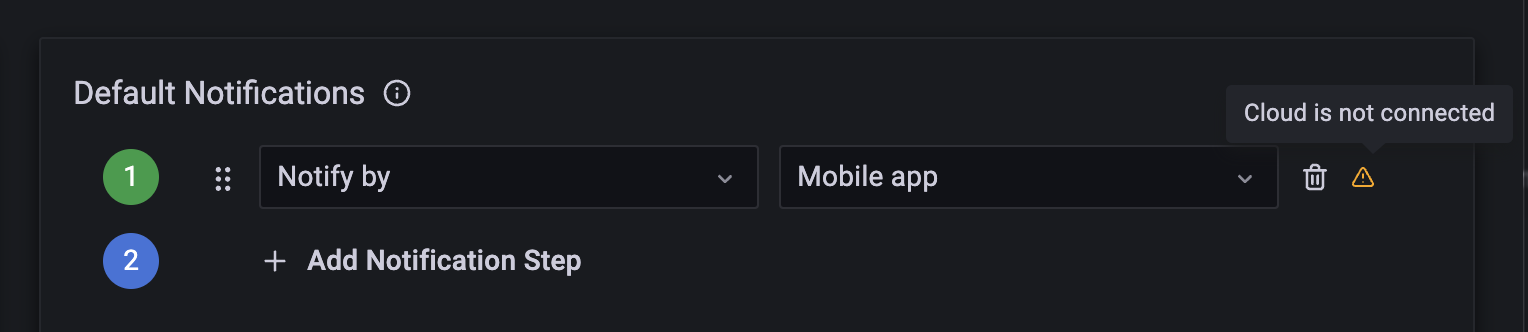
When a user tries to use mobile push notifications as a personal
notification step and cloud is not connected:

<img width="764" alt="Screenshot 2023-01-12 at 19 01 10"
src="https://user-images.githubusercontent.com/20116910/212157580-9abb0758-79ad-4316-b8cd-15b4fff01502.png">

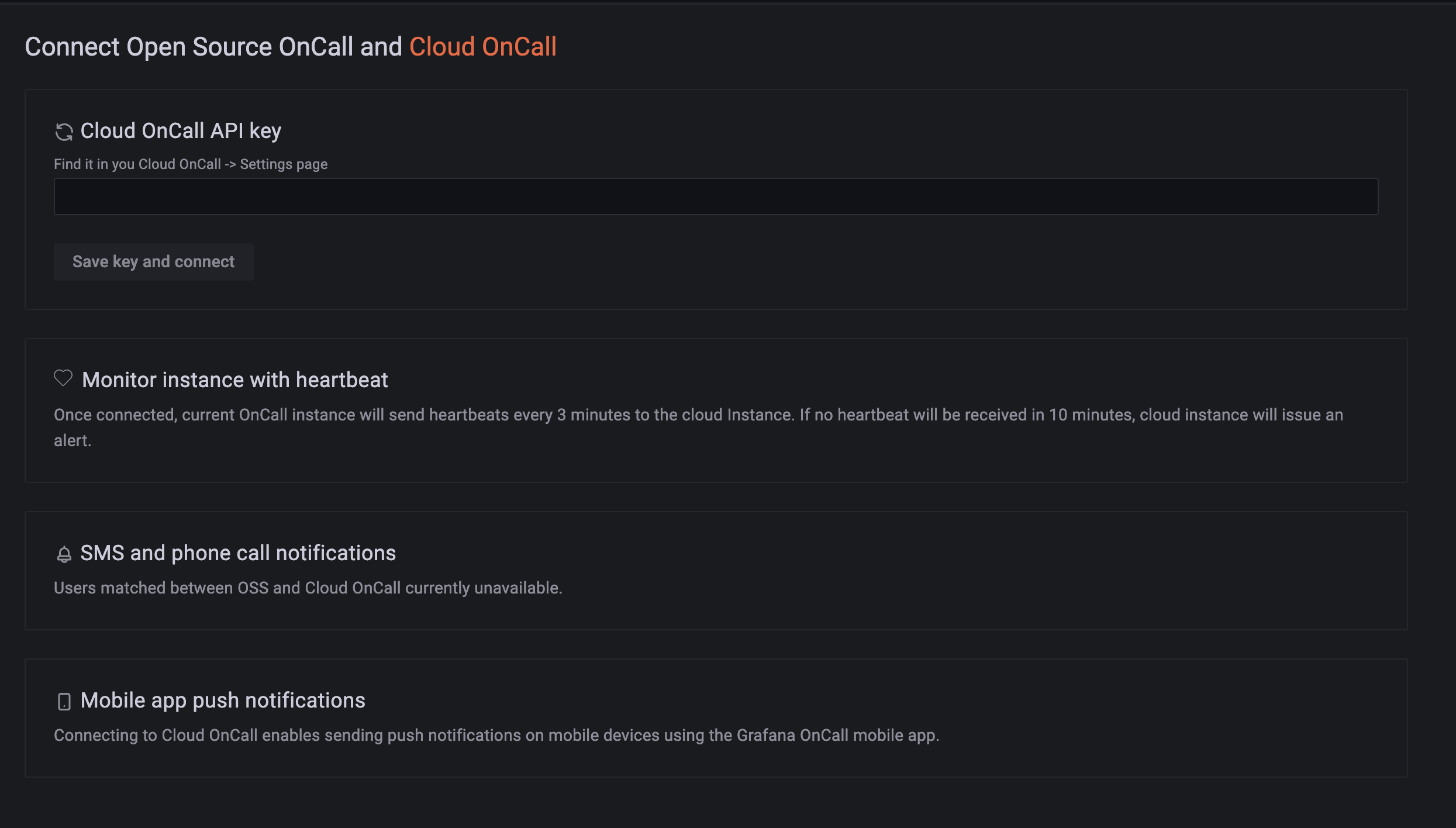
Now on the "Cloud" tab there's some info about the mobile app (the last
section at the bottom of the page):

<img width="1245" alt="Screenshot 2023-01-12 at 18 49 10"
src="https://user-images.githubusercontent.com/20116910/212156997-c8b70dd5-bf15-4bc7-8eb8-9decdb8ecc80.png">

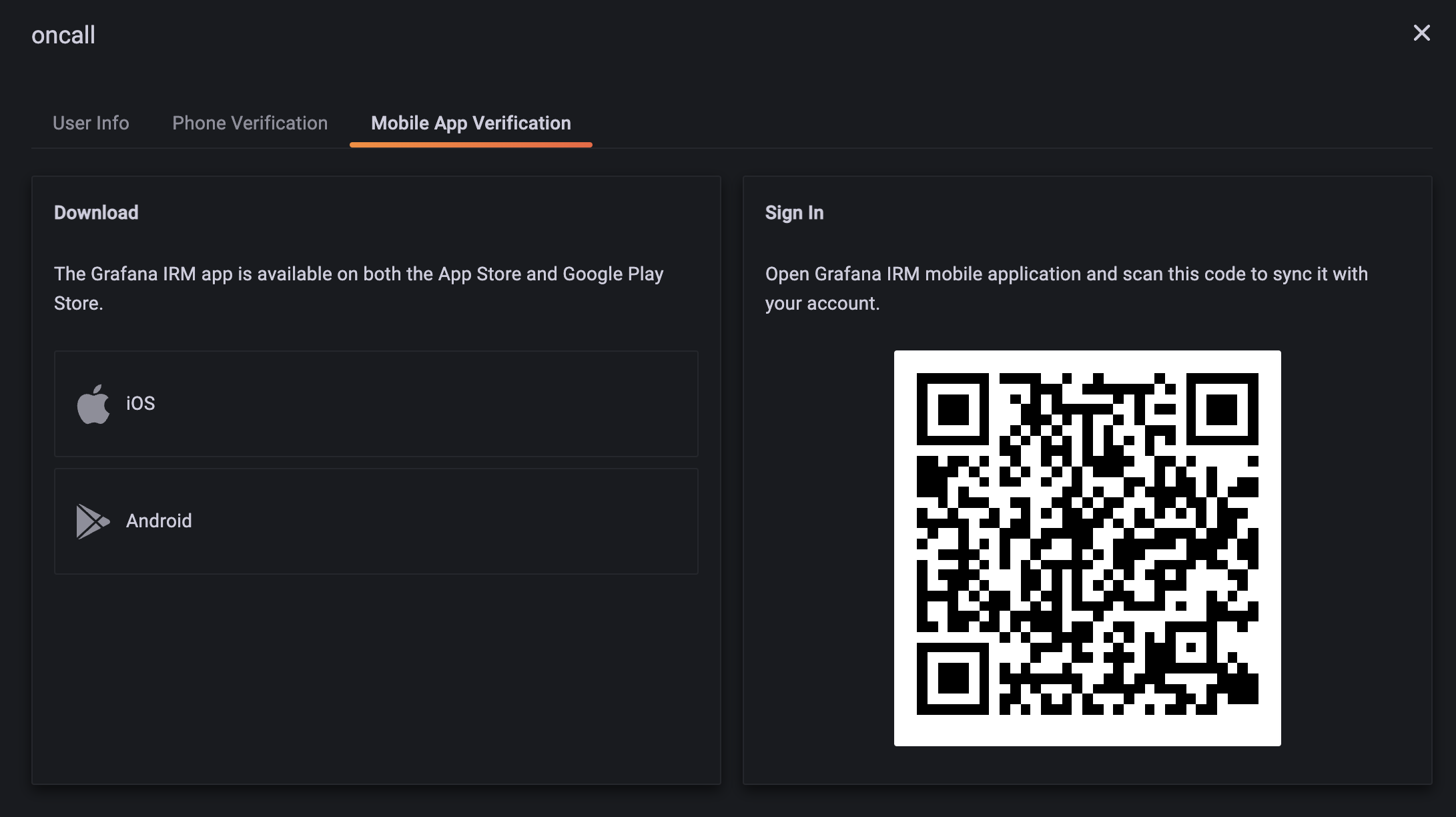
After connecting to the cloud instance, everything goes back to active
and it's now possible to connect the mobile app:

<img width="1091" alt="Screenshot 2023-01-12 at 19 08 27"
src="https://user-images.githubusercontent.com/20116910/212158811-60d49888-4714-4c0e-850f-3ff6a11a117a.png">

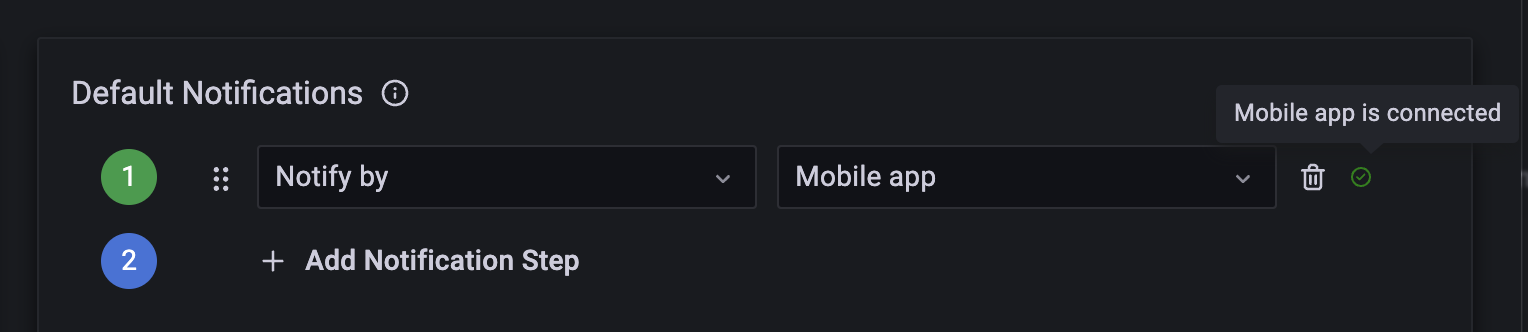
After connecting the app the warning is gone:

<img width="764" alt="Screenshot 2023-01-12 at 19 07 00"
src="https://user-images.githubusercontent.com/20116910/212158614-677ab889-127f-4d64-bacc-0c26887f3097.png">

17 lines
589 B
Python
17 lines
589 B
Python
from apps.mobile_app.fcm_relay import FCMRelayView
|
|
from apps.mobile_app.views import FCMDeviceAuthorizedViewSet, MobileAppAuthTokenAPIView
|
|
from common.api_helpers.optional_slash_router import OptionalSlashRouter, optional_slash_path
|
|
|
|
app_name = "mobile_app"
|
|
router = OptionalSlashRouter()
|
|
|
|
router.register("fcm", FCMDeviceAuthorizedViewSet, basename="fcm")
|
|
|
|
urlpatterns = [
|
|
*router.urls,
|
|
optional_slash_path("auth_token", MobileAppAuthTokenAPIView.as_view(), name="auth_token"),
|
|
]
|
|
|
|
urlpatterns += [
|
|
optional_slash_path("fcm_relay", FCMRelayView.as_view(), name="fcm_relay"),
|
|
]
|