 b12708d7db
# What this PR does
Updating docker image for Redis to latest version on 7.0 branch

## Which issue(s) this PR closes
* (CVE-2022-35977) Integer overflow in the Redis SETRANGE and
SORT/SORT_RO
  commands can drive Redis to OOM panic
* (CVE-2023-22458) Integer overflow in the Redis HRANDFIELD and
ZRANDMEMBER
  commands can lead to denial-of-service
* (CVE-2023-25155) Specially crafted SRANDMEMBER, ZRANDMEMBER, and
HRANDFIELD
commands can trigger an integer overflow, resulting in a runtime
assertion
  and termination of the Redis server process.
* (CVE-2022-36021) String matching commands (like SCAN or KEYS) with a
specially
crafted pattern to trigger a denial-of-service attack on Redis, causing
it to
  hang and consume 100% CPU time.
* (CVE-2023-28425) Specially crafted MSETNX command can lead to
assertion and denial-of-service
* (CVE-2023-28856) Authenticated users can use the HINCRBYFLOAT command
to create
  an invalid hash field that will crash Redis on access
* (CVE-2022-24834) A specially crafted Lua script executing in Redis can
trigger
a heap overflow in the cjson and cmsgpack libraries, and result in heap
corruption and potentially remote code execution. The problem exists in
all
versions of Redis with Lua scripting support, starting from 2.6, and
affects
  only authenticated and authorized users.
* (CVE-2023-36824) Extracting key names from a command and a list of
arguments
may, in some cases, trigger a heap overflow and result in reading random
heap
memory, heap corruption and potentially remote code execution.
Specifically:
  using COMMAND GETKEYS* and validation of key names in ACL rules.
* (CVE-2023-41053) Redis does not correctly identify keys accessed by
SORT_RO and
as a result may grant users executing this command access to keys that
are not
  explicitly authorized by the ACL configuration.
* (CVE-2023-45145) The wrong order of listen(2) and chmod(2) calls
creates a
race condition that can be used by another process to bypass desired
Unix
  socket permissions on startup.
* (CVE-2023-41056) In some cases, Redis may incorrectly handle resizing
of memory
buffers which can result in incorrect accounting of buffer sizes and
lead to
  heap overflow and potential remote code execution.


## Checklist

- [ ] Unit, integration, and e2e (if applicable) tests updated
- [ ] Documentation added (or `pr:no public docs` PR label added if not
required)
- [ ] Added the relevant release notes label (see labels prefixed w/
`release:`). These labels dictate how your PR will
    show up in the autogenerated release notes.
|
||
|---|---|---|
| .github | ||
| .tilt | ||
| dev | ||
| docs | ||
| engine | ||
| grafana-plugin | ||
| helm | ||
| terraform | ||
| tools | ||
| .dockerignore | ||
| .gitattributes | ||
| .gitignore | ||
| .markdownlint.json | ||
| .markdownlintignore | ||
| .nvmrc | ||
| .pre-commit-config.yaml | ||
| .prettierignore | ||
| .prettierrc.js | ||
| .yamllint.yml | ||
| CHANGELOG.md | ||
| docker-compose-developer.yml | ||
| docker-compose-mysql-rabbitmq.yml | ||
| docker-compose.yml | ||
| LICENSE | ||
| Makefile | ||
| README.md | ||
| Tiltfile | ||
Grafana OnCall






Developer-friendly incident response with brilliant Slack integration.
 |
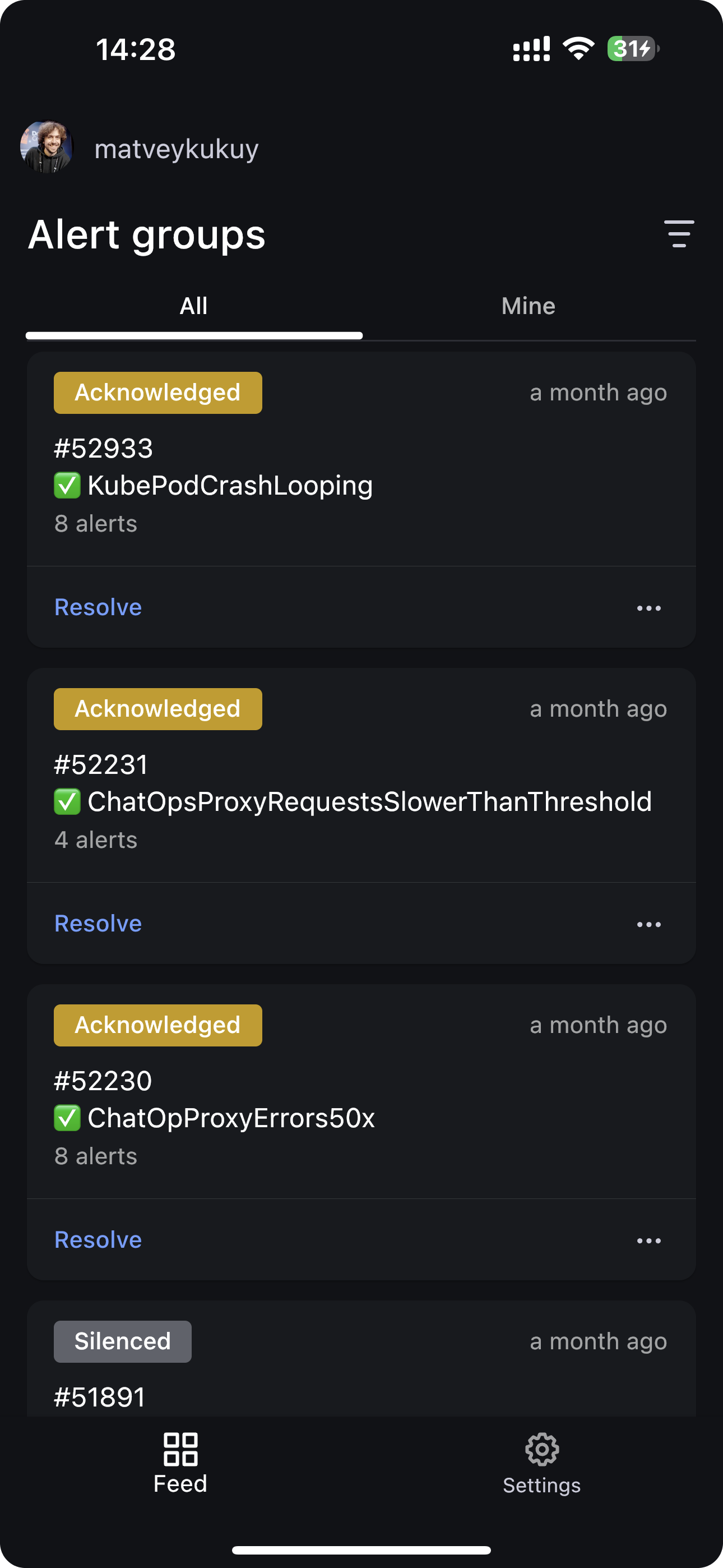
- Collect and analyze alerts from multiple monitoring systems
- On-call rotations based on schedules
- Automatic escalations
- Phone calls, SMS, Slack, Telegram notifications
Getting Started
Important
These instructions are for using Grafana 11 or newer. You must enable the feature toggle for
externalServiceAccounts. This is already done for the docker files and helm charts. If you are running Grafana separately see the Grafana documentation on how to enable this.
We prepared multiple environments:
- production
- developer
- hobby (described in the following steps)
-
Download
docker-compose.yml:curl -fsSL https://raw.githubusercontent.com/grafana/oncall/dev/docker-compose.yml -o docker-compose.yml -
Set variables:
echo "DOMAIN=http://localhost:8080 # Remove 'with_grafana' below if you want to use existing grafana # Add 'with_prometheus' below to optionally enable a local prometheus for oncall metrics # e.g. COMPOSE_PROFILES=with_grafana,with_prometheus COMPOSE_PROFILES=with_grafana # to setup an auth token for prometheus exporter metrics: # PROMETHEUS_EXPORTER_SECRET=my_random_prometheus_secret # also, make sure to enable the /metrics endpoint: # FEATURE_PROMETHEUS_EXPORTER_ENABLED=True SECRET_KEY=my_random_secret_must_be_more_than_32_characters_long" > .env -
(Optional) If you want to enable/setup the prometheus metrics exporter (besides the changes above), create a
prometheus.ymlfile (replacingmy_random_prometheus_secretaccordingly), next to yourdocker-compose.yml:echo "global: scrape_interval: 15s evaluation_interval: 15s scrape_configs: - job_name: prometheus metrics_path: /metrics/ authorization: credentials: my_random_prometheus_secret static_configs: - targets: [\"host.docker.internal:8080\"]" > prometheus.ymlNOTE: you will need to setup a Prometheus datasource using
http://prometheus:9090as the URL in the Grafana UI. -
Launch services:
docker-compose pull && docker-compose up -d -
Provision the plugin (If you run Grafana outside the included docker files install the plugin before these steps):
If you are using the included docker compose file use
admin/admincredentials andlocalhost:3000to perform this task. If you have configured Grafana differently adjust your credentials and hostnames accordingly.# Note: onCallApiUrl 'engine' and grafanaUrl 'grafana' use the name from the docker compose file. If you are # running your grafana or oncall engine instance with another hostname adjust accordingly. curl -X POST 'http://admin:admin@localhost:3000/api/plugins/grafana-oncall-app/settings' -H "Content-Type: application/json" -d '{"enabled":true, "jsonData":{"stackId":5, "orgId":100, "onCallApiUrl":"http://engine:8080", "grafanaUrl":"http://grafana:3000"}}' curl -X POST 'http://admin:admin@localhost:3000/api/plugins/grafana-oncall-app/resources/plugin/install' -
Start using OnCall, log in to Grafana with credentials as defined above:
admin/admin -
Enjoy! Check our OSS docs if you want to set up Slack, Telegram, Twilio or SMS/calls through Grafana Cloud.
Troubleshooting
Here are some API calls that can be made to help if you are having difficulty connecting Grafana and OnCall. (Modify parameters to match your credentials and environment)
# Use this to get more information about the connection between Grafana and OnCall
curl -X GET 'http://admin:admin@localhost:3000/api/plugins/grafana-oncall-app/resources/plugin/status'
# If you added a user or changed permissions and don't see it show up in OnCall you can manually trigger sync.
# Note: This is called automatically when the app is loaded (page load/refresh) but there is a 5 min timeout so
# that it does not generate unnecessary activity.
curl -X POST 'http://admin:admin@localhost:3000/api/plugins/grafana-oncall-app/resources/plugin/sync'
Update version
To update your Grafana OnCall hobby environment:
# Update Docker image
docker-compose pull engine

# Re-deploy
docker-compose up -d
After updating the engine, you'll also need to click the "Update" button on the plugin version page. See Grafana docs for more info on updating Grafana plugins.
Join community


Have a question, comment or feedback? Don't be afraid to open an issue!
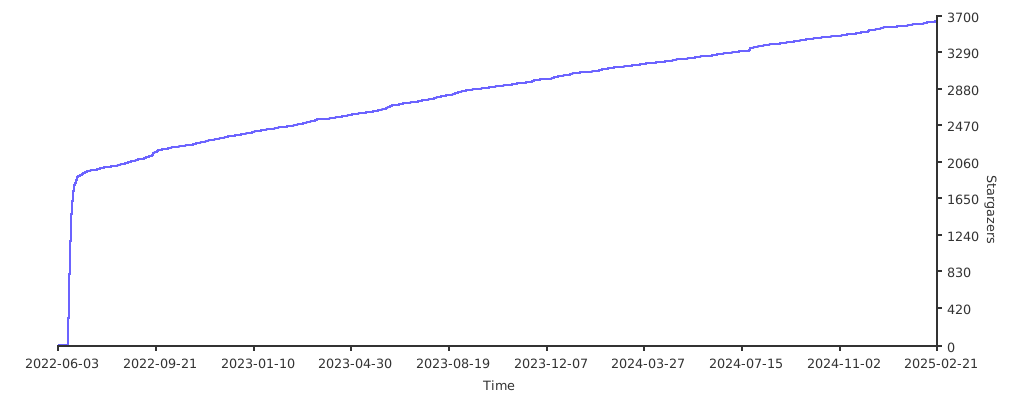
Stargazers over time
Further Reading
- Automated migration from other on-call tools - Migrator
- Documentation - Grafana OnCall
- Overview Webinar - YouTube
- How To Add Integration - How to Add Integration
- Blog Post - Announcing Grafana OnCall, the easiest way to do on-call management
- Presentation - Deep dive into the Grafana, Prometheus, and Alertmanager stack for alerting and on-call management